PRODUCT DESIGN CASE STUDY · 2025
Resolva
An AI co-pilot for fintech support teams that surfaces context, drafts replies, and flags regulatory risk, while the decision to send always stays with a person.

ROLE
Product Designer · Solo
SCOPE
UX, UI, AI interaction design
INDUSTRY
Fintech / Support Ops
FOCUS
Regulated AI-assisted workflows
The problem
A support agent at a fintech company isn't just answering questions. When a customer reports an unauthorized charge, the agent has stepped into a regulatory clock. Regulation E gives them five business days to issue a provisional credit, ten if the investigation runs long, and forty five days to reach a final determination. Miss that window and it isn't a bad review, it's a compliance violation.
Most support tooling wasn't built for that pressure. A ticket queue, a knowledge base, and a compliance manual usually live in three different tabs, and an agent under a countdown has to stitch them together in real time, often for a case type they've handled a dozen times before but can't recite the statutory language for from memory.
Resolva starts from a narrower question than "how do we make support faster." It asks: what does an agent actually need in front of them at the exact moment they're deciding how to respond to a regulated dispute, and what should never be automated away from them.
Key decisions
DECISION 01
AI drafts. It never sends.
Every reply the AI co-pilot produces sits in the compose box as a suggestion, not an action. The agent reads it, edits it if needed, and presses send themselves. It would have been easy to build a faster version of this, auto-send for high-confidence replies, human review only for edge cases. I didn't, because in a regulated dispute, the cost of one wrong automated sentence isn't a bad customer experience, it's a documented compliance failure with the agent's name on it. The AI's job is to make a well-informed agent faster, not to remove the agent from the loop.
DECISION 02
Regulatory risk shows up where the reply is being written, not in a separate panel.
The moment a ticket invokes Regulation E, the AI panel surfaces it directly next to the compose box: which regulation applies, how many hours remain in the response window, and whether Tier-2 escalation is required. Compliance tools often live in a dashboard the agent checks separately, which means the risk is visible after the moment it mattered. Here it's inline, at the point of the decision, because that's the only place it actually changes what an agent does next.
DECISION 03
The AI shows its work.
Every suggested reply is labeled with the model, the response time, and the specific knowledge base articles it pulled from, match percentage included. An agent can see it cited three sources at a combined 88% relevance and open the actual article the reasoning came from. In most support tools, AI suggestions arrive as a black box, trust the output or don't. In a regulated industry, that's not good enough, an agent needs to be able to justify a response later, and a compliance auditor needs to be able to trace it. Explainability here isn't a nice-to-have feature, it's what makes the AI usable at all in this context.
DECISION 04
The SLA countdown is everywhere, not filed under analytics.
The response window shows on the ticket header, in the queue list, and in notifications, not tucked into a weekly report. In this domain, time isn't a performance metric to review after the fact, it's the actual legal constraint the agent is operating inside. Burying it in an analytics tab would mean the number that matters most is the one an agent has to go looking for.
Walking through the product
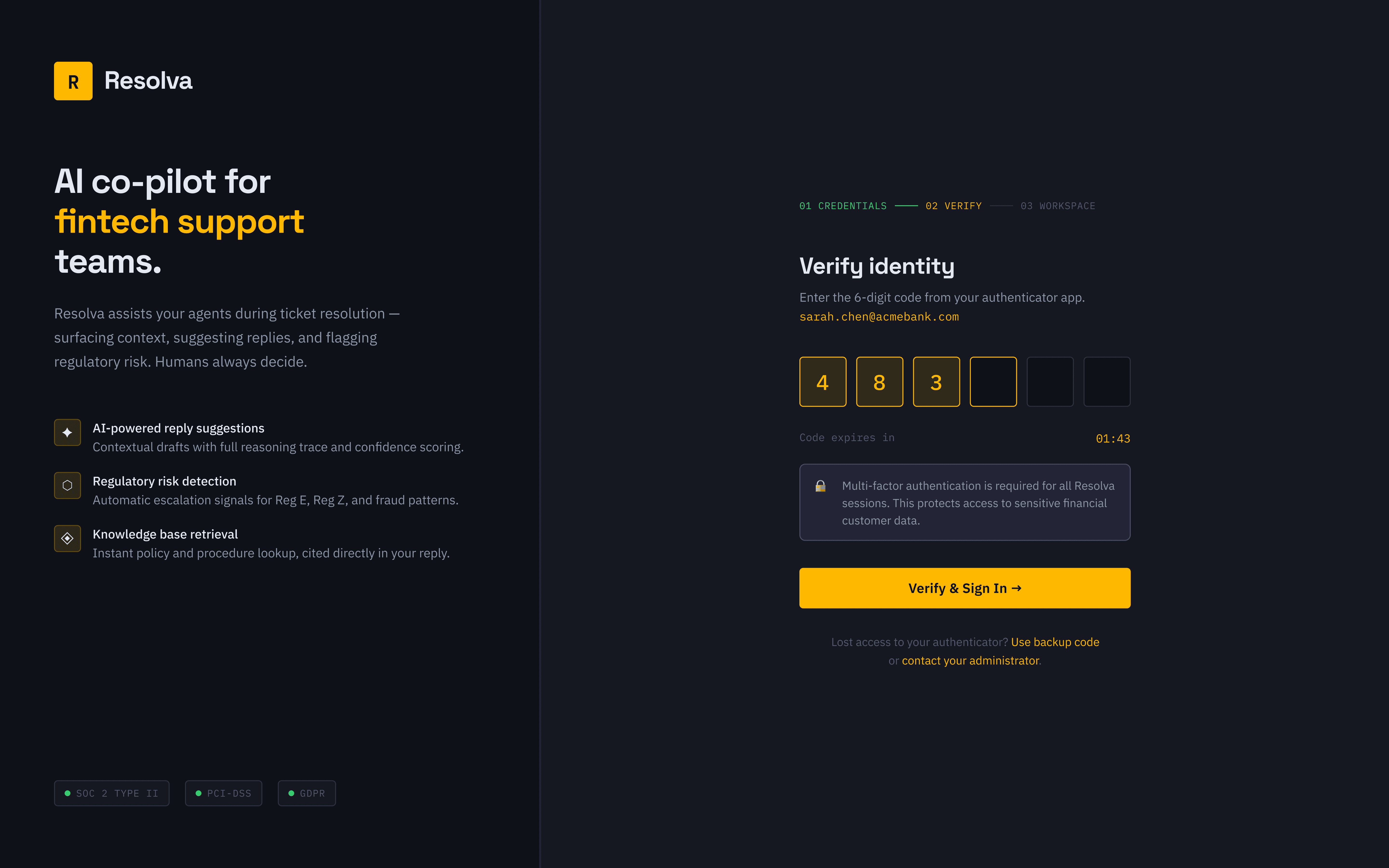
Login and MFA
Standard credential entry followed by a second factor, appropriate friction for a tool that opens onto real customer financial data and account histories.

Agent dashboard
Sarah Chen's queue on a given morning: seven open tickets, average handle time at 3.8 hours, 91% SLA compliance, 74% AI assist rate, two tickets currently at risk. The dashboard leads with these five numbers because they're the ones an agent actually checks before diving into a queue, not a full analytics suite front-loaded onto the first screen.

Ticket workspace
The core screen. A ticket like TKT-2941, an unauthorized $249 charge disputed under Regulation E, shows the customer's message, the AI co-pilot's suggested reply with its sourcing, a live regulatory risk banner, and a full audit trail, conversation, internal notes, attachments, and a timeline logging every action including the auto-assignment itself. Nothing about a regulated dispute happens off the record here.

Escalation flow
Escalating a ticket to Tier-2 is deliberately treated as an irreversible action, not a quiet status change. It requires confirmation, and the confirmation copy states plainly that the action is logged and cannot be undone. Escalation in a compliance context isn't a workflow convenience, it's a decision with a paper trail.

Knowledge base
Searchable and filterable by category, status, and AI confidence score. A search for "unauthorized transaction provisional credit" returns eight matched articles ranked by relevance, the Regulation E policy article itself scoring a 96% match. Each article can be cited directly into a reply with one action, "Cite in Reply," closing the loop between finding the right policy and actually using it.

Analytics
Four tabs, personal performance, team, SLA reporting, and AI metrics, kept separate rather than one dense dashboard, since an agent checking their own handle time and a manager reviewing team-wide SLA breaches are looking for different things at different moments.

Notifications and settings
Notifications are categorized, SLA alerts, AI signals, assignments, system, so a critical countdown doesn't get lost in routine updates. Settings include a genuinely specific control, calibrating the AI co-pilot's reply tone, empathetic and professional by default, overridable per ticket, alongside the expected account, workspace, and admin sections, team management, integrations, and audit logs among them.


What this project reinforced
Speed and trust aren't the same design problem. It's tempting to treat an AI copilot project as a race to remove clicks, but in a regulated workflow, the feature that actually earns trust is the one that lets an agent verify the AI's reasoning, not the one that hides it to feel more magical. The fastest version of Resolva would have auto-sent high-confidence replies. The right version keeps a person reading every word before it goes out, and that restraint was the actual design decision, not a fallback.
Being honest about where this stands.
Resolva is a concept project, not a shipped product with real agents or a real compliance team behind it. The Regulation E scenarios and SLA figures are built to be realistic, not observed in production. What I'd want next is time with actual Tier-2 support agents at a regulated fintech, watching where the inline risk banner either saves them time or gets in the way, and whether the explainability details I designed in, model, confidence, sourcing, are actually the ones they'd reach for under real time pressure, or whether that instinct needs correcting against real behavior.
Read more of my case studies


